
ERP Data Migration: Cleaning the Junk Drawer Before Moving to Business Central

How much data from your current ERP system actually belongs in the new one?
It’s a deceptively simple question — and one that sits at the center of every ERP data migration project.
When organizations move from Microsoft Dynamics GP to Dynamics 365 Business Central, years of accumulated data must be reviewed, cleaned, mapped, and tested to ensure the new system starts with information the business can actually trust.
ERP data has a funny way of accumulating over the years.
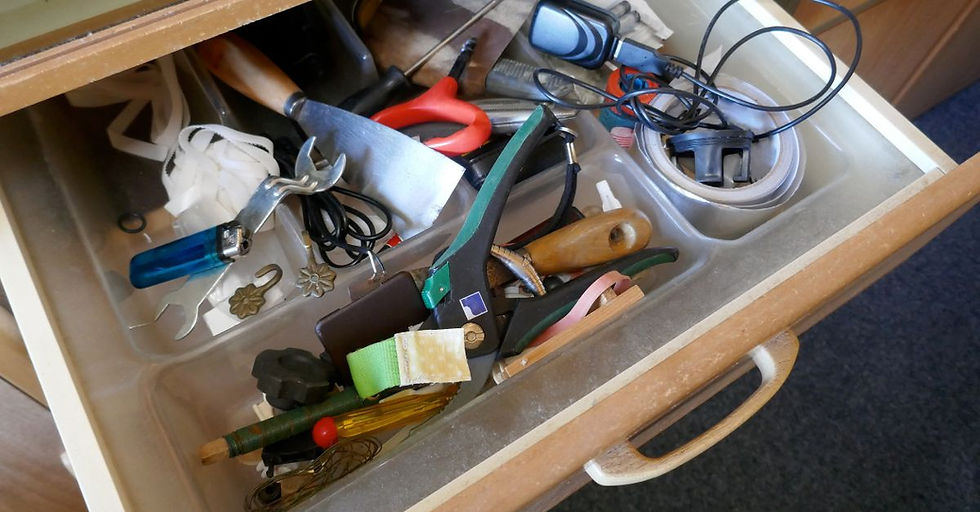
If you’ve ever cleaned out a kitchen junk drawer, this probably sounds familiar.
The drawer starts with good intentions but eventually fills with orphaned batteries, rubber bands, expired coupons, and an old BlackBerry charging cable.
ERP systems tend to develop the same kind of drawer. What starts as a clean system gradually collects layers of history: duplicate vendors, outdated customer records, and inventory items that haven’t moved since the early days of flip phones.
Over time, that data can start to behave like a black hole — information goes in, but no one is entirely sure what’s still accurate, duplicated, or quietly orbiting somewhere in the system.
In the first article of this series on ERP migration planning, I explained why a structured roadmap and readiness assessment set the foundation for a successful ERP transition.
In this article, the focus shifts to ERP data migration... specifically, how organizations should approach data cleansing, historical data decisions, mapping from Dynamics GP to Business Central, and testing strategies that help ensure data accuracy after go-live.
Because when ERP data migration is handled thoughtfully, the new system starts its life organized, trusted, and ready to support better decisions.
Let’s walk through the questions leadership teams most often ask when preparing their data for a move from Dynamics GP to Business Central.
Why is data the most common cause of ERP problems after go-live?
In many ERP projects, the software configuration gets most of the attention.
Over the years, I’ve seen that ERP data migration is where many implementations either inspire confidence — or undermine it.
Data carries the history of how the business has operated, including inconsistencies that accumulate over time.
Duplicate vendors, outdated customer records, inconsistent item descriptions, and incomplete reporting fields often build up quietly inside legacy systems.
When that data is migrated without review, those problems simply carry forward into the new ERP environment.
Poor data quality can create issues almost immediately after go-live.
Reports don’t reconcile the way leadership expects.
Users struggle to locate the right records.
Dashboards show inconsistent metrics because fields weren’t standardized.
As a result, the new system may technically be working, but the data inside it isn’t trustworthy.
That’s why experienced implementation partners emphasize strong ERP data migration best practices, including data governance, validation, and structured preparation.
Large organizations take a similar approach to improving visibility and control over enterprise data.
For example, Microsoft has described how its internal teams strengthened data governance and discovery using a unified data catalog, helping ensure that data across the organization remains trustworthy and accessible.
When organizations treat ERP data migration as a strategic preparation phase rather than a technical task, they significantly reduce the likelihood of surprises once users begin working in the new system.
Should you migrate all historical ERP data or only what you need?
One of the most common questions I hear during ERP data migration is how much historical data should actually move to the new system.
Often, the instinct is to migrate everything. After all, if the data exists, why not bring it forward?
But in practice, migrating all historical data often increases complexity without adding real value.
Older transactions, inactive records, and outdated information can quickly turn migration into the digital equivalent of cleaning out that junk drawer.
The extra volume slows testing cycles, increases migration time, and introduces more opportunities for errors during the ERP data migration process.
For many organizations moving from Dynamics GP to Business Central, I’ve found that a more strategic approach works better.
Typically, companies migrate:
Active master data such as customers, vendors, and items
Open transactions
Recent financial history needed for reporting
Older historical information can remain accessible in the legacy system for reference when needed.
Reducing the data volume simplifies the migration strategy, speeds up testing, and helps ensure the information flowing into Business Central is clean and meaningful.
Ultimately, the goal of data migration is not to preserve every record from the past. It’s to give the new system a reliable starting point for the future.
What data needs to be cleaned before moving from GP to Business Central?
Data cleansing is critical to a successful ERP data migration.
Before data is moved from Dynamics GP to Business Central, it’s essential for organizations to review several key areas.
Master data should be the priority. This includes:
Customer records
Vendor records
Inventory items
Employee data
Over time, duplicate or inactive records often accumulate in these categories. Cleansing helps remove redundancy and standardize information.
The chart of accounts and financial structures should also be reviewed carefully.
When moving to Business Central, many organizations introduce dimensions that provide more flexible reporting compared to traditional GP segment structures.
Cleaning up account structures during ERP data migration helps ensure reporting works correctly in the new system.
Another critical area is transactional data consistency. Incomplete records, inconsistent field usage, or outdated naming conventions can cause confusion in reporting or operational workflows if they are carried forward.
This is why experienced teams treat data cleansing as a structured step within the data migration process... not something to clean up right before go-live.
Addressing data issues early prevents costly corrections later during testing or after go-live.
How does data mapping work when migrating from Dynamics GP to Business Central?
Once data has been reviewed and cleaned, the next major step in ERP data migration is data mapping, which determines how information from Dynamics GP will be translated into the structures used in Business Central.
In simple terms, mapping answers the question: Where should each piece of GP data live in the new system?
Customer records, vendors, items, and financial accounts must align with their corresponding Business Central tables and fields.
During migration, the organization must decide how legacy structures should translate into Business Central’s more flexible data model.
For example, many companies replace GP account segments with dimensions in Business Central, which allows more dynamic reporting across departments, locations, or product lines.
Microsoft provides guidance and tools that support Dynamics GP to Business Central data migration, helping ensure information transfers accurately and behaves correctly in the new environment.
But mapping alone isn’t enough.
Successful data migration also requires multiple test migrations to ensure teams can confirm reports and workflows behave as expected before go-live.
Testing builds confidence that the final migration will perform exactly as planned.
Building confidence through ERP data migration
If planning establishes the roadmap for an ERP project, ERP data migration determines how smoothly the project progresses.
When data preparation is rushed or overlooked, even the best system configuration can struggle to deliver accurate reporting or smooth operations.
But when organizations invest time in cleansing, mapping, and testing their data, the results are very different.
Users trust the information they see, reports reconcile correctly, and the new system starts out organized instead of cluttered.
My final post of this series will shift focus to another critical factor: user adoption and go-live readiness.
Because even the most technically successful ERP implementation only delivers value when the people using the system are confident in how it works.
Like cleaning out that junk drawer, the most valuable part of the process is often creating a fresh start.
Much like that old BlackBerry cable, some things simply don’t need to follow you into the future.
If you're evaluating your organization’s readiness or planning a move from Dynamics GP to Business Central, I host open Office Hours every Tuesday at 11:30 ET.
You're welcome to join the conversation, ask questions, or walk through a structured ERP migration checklist together.

About the Author

Chris Boling is a founding partner of Sandlapper Dynamics, where he helps businesses streamline operations, enhance productivity, and achieve strategic growth through Microsoft Dynamics 365. With over two decades of experience in the Dynamics community, Chris combines deep technical expertise with a customer-first approach to guide organizations through digital transformation.
His unique perspective, shaped by years as both a consultant and an end-user, enables Chris to deliver practical insights that bridge the gap between technology and business outcomes.
Chris brings authenticity, empathy, and a commitment to sustainable growth to every engagement.
You can reach Chris on LinkedIn.



Comments